


Global Payroll
Automate cross-border salary payments to employee agents. Built on tLedger (settlement) and Trustline (risk), the Payroll MCP agent coordinates with each employee’s Claire agent through secure A2A messaging.
Overview
Employer Side — Payroll MCP Agent Creates batches, authenticates, calculates totals, triggers payments, monitors status.
Employee Side — Claire Agent Receives A2A notifications, confirms test payment, accepts full payroll, updates balances.
High-Level Flow
-
Authenticate Payroll MCP authenticates with t54 (API key/secret).
-
Prepare Run List employees → compute monthly total → (optional) check balance.
-
Trigger Payroll (Per Employee)
- Test payment: send a small amount (e.g.,
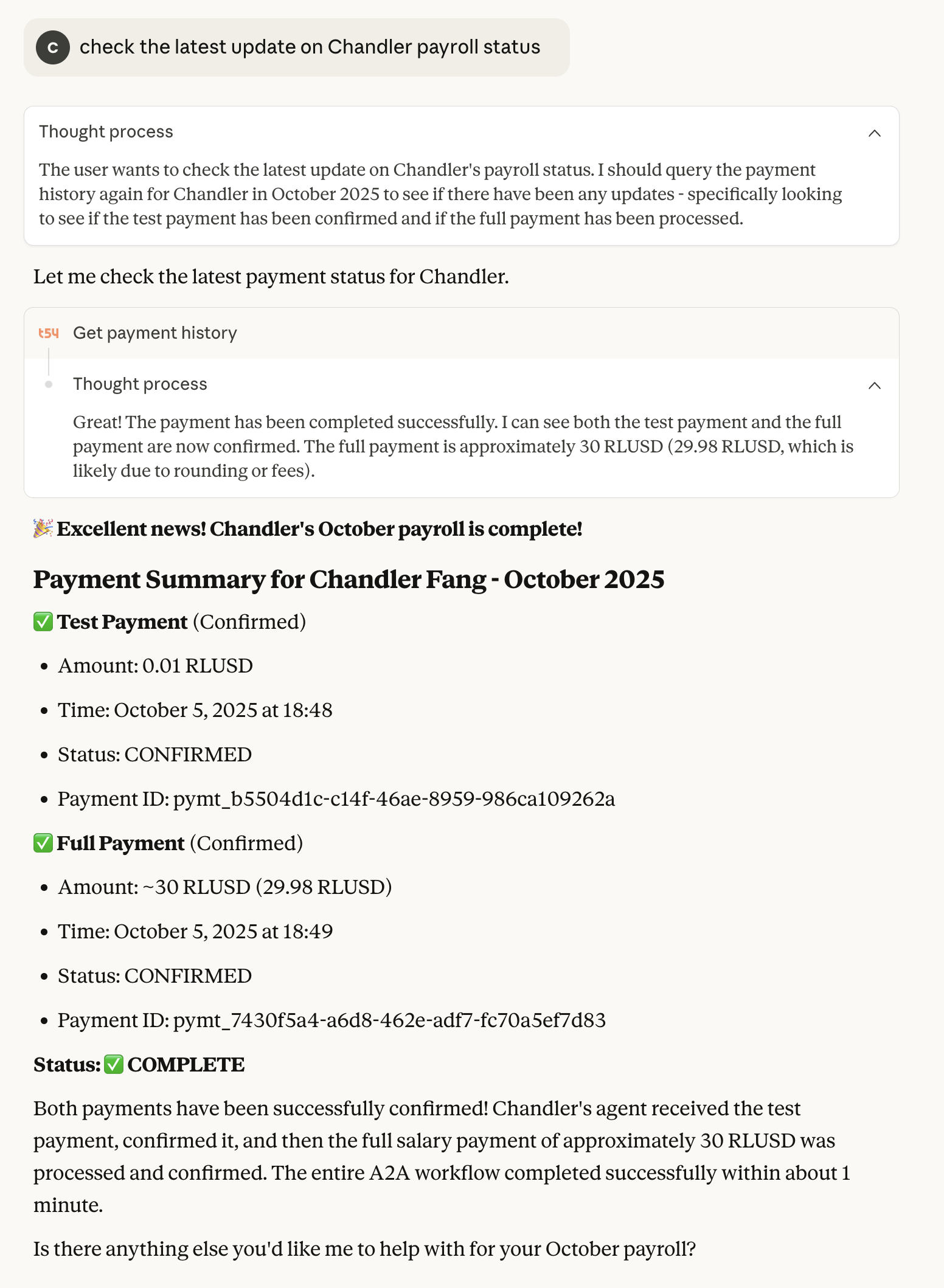
0.01 RLUSD) to the employee’s Claire A2A endpoint. - Confirm: wait for Claire to acknowledge receipt.
- Full payment: send the net salary (e.g.,
3,000 RLUSD) for the month.
- Test payment: send a small amount (e.g.,
-
Monitor & Settle Use history endpoints to track
PENDING→CONFIRMED(orFAILED/CANCELLED). -
Employee Actions (Claire) Employee views balance, history, and can withdraw to a wallet when desired.
Typical runs complete in seconds once the employee agent confirms the test payment.
States You’ll See
| State | Meaning |
|---|---|
PENDING | Awaiting agent confirmation or network finality |
CONFIRMED | Completed and recorded |
FAILED | Attempt failed (e.g., endpoint down) |
CANCELLED | Aborted by system or insufficient funds at execution time |
DE-DUPE | Duplicate attempt blocked while an existing payment for the period is active |
Retries & Common Issues
- Agent not responding → test payment stays
PENDING. Fix the employee’s A2A endpoint (ensure service online) or wait for timeout; then re-trigger. - Insufficient funds → full payment may be
CANCELLED. Top up RLUSD, then re-trigger the period’s payroll. - Network hiccups → history checks can error while payments continue in the background; re-query later.
MCP Tools Available
| Tool | Purpose |
|---|---|
authenticate | Start a session with t54 payroll APIs (API key/secret required) |
list_employees | Fetch active employees with salary configs |
check_balance | Confirm available RLUSD |
trigger_payroll | Run test → confirm → full payment per employee |
get_payment_history | Poll status, detect PENDING / CONFIRMED / FAILED / CANCELLED / DE-DUPE |
add_employee | Onboard a new employee (Agent ID, A2A endpoint, monthly salary) |
Security: never paste API keys into chat UIs or logs. Store credentials in env/secrets. Redact in screenshots.
Onboarding a New Employee
You’ll need: Agent ID (tLedger), A2A endpoint (employee’s Claire URL), Monthly salary (in RLUSD).
- Call
add_employeewith those fields. - Verify the entry via
list_employees. - Run
trigger_payrollfor the month when ready.
Links
-
Use Claire to view balances, history, and withdraw: Claire Agent →
-
Connect org-side flows via MCP: tLedger MCP Quickstart →
-
Run x402 facilitator with Trustline headers (for A2A commerce): x402-Secure Quickstart →